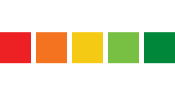
Controls Indicators: click an indicator to color the map regions to match the grades for the selected indicator. Click again to toggle back to all. If a region is selected, hover to show the indicator's line on the chart.
Regions: click a region to color the indicator discs to match the grades for the selected region. Click again to toggle back to all. Hover to show the region's line on the chart.
Indicator categories
Indicators
Regions
Indicators: click an indicator to color the map regions to match the grades for the selected indicator. Click again to toggle back to all. If a region is selected, hover to show the indicator's line on the chart.
Regions: click a region to color the indicator discs to match the grades for the selected region. Click again to toggle back to all. Hover to show the region's line on the chart.
Show:
Region: Click a region on the map to color the indicator discs to match the grades for the selected region. Click again to toggle back to all. Hover to show the region's line on the chart.
Loading...
Scores: This chart will change based on the selected region or indicator. You can click on a point on the chart to change the year for the data displayed by the map and indicator discs.
Loading...
Summary:
Loading...